0.3

Steel connection design you can check by hand.

Shear, moment, bracing, base plate and HSS connections to AISC 360-22, with a built-in CBFEM solver. Every check shows the formula, your numbers and the code section — and it matches the published AISC examples.

Runs in your browser · No credit card for the trial · US, SI and Mexican units

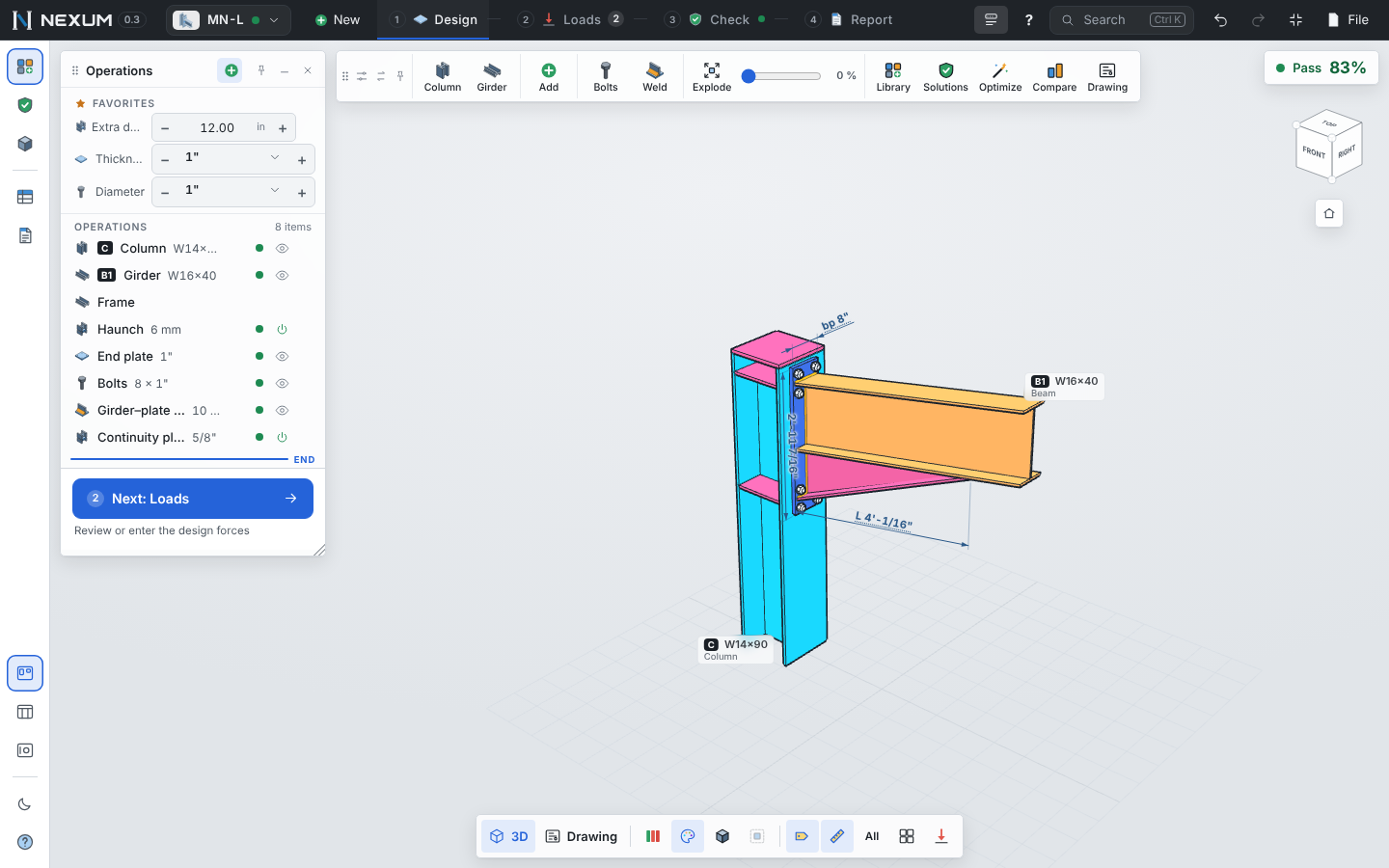
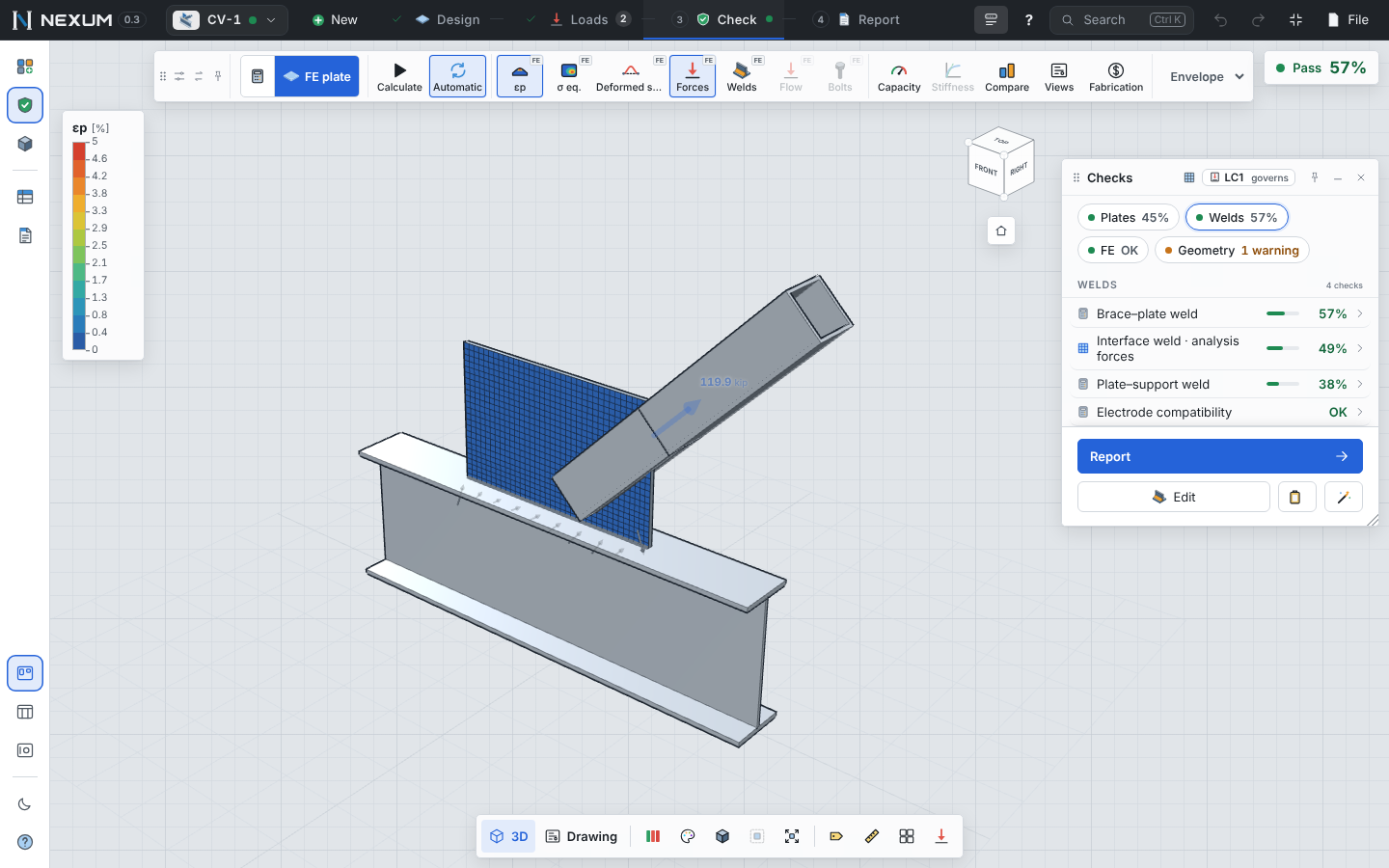
A moment connection in Nexum with the CBFEM plastic strain contour, the operations panel and the checks
95published examples reproduced, re-run on every build
712automated tests on the checks, the solver and the drawings
2,000random connections calculated every build — no crashes, no NaN
24connection families, plus member and concrete design

Checked against AISC Design Examples (v15.1 and v16), the AISC Manual tables, Design Guides 1, 4, 7, 24, 29, 39 and 41, ACI 318 Chapter 17, and the published IDEA StatiCa verification studies. Every source, case and tolerance →

From the first sketch to the shop

One model drives the 3D, the checks, the report and the drawings. Change a bolt and everything updates in a fraction of a second.

Hand-checkable calculations

Each limit state as a card: symbol, formula, substitution with your values, result and AISC section. Nothing hidden in a black box.

CBFEM where it matters

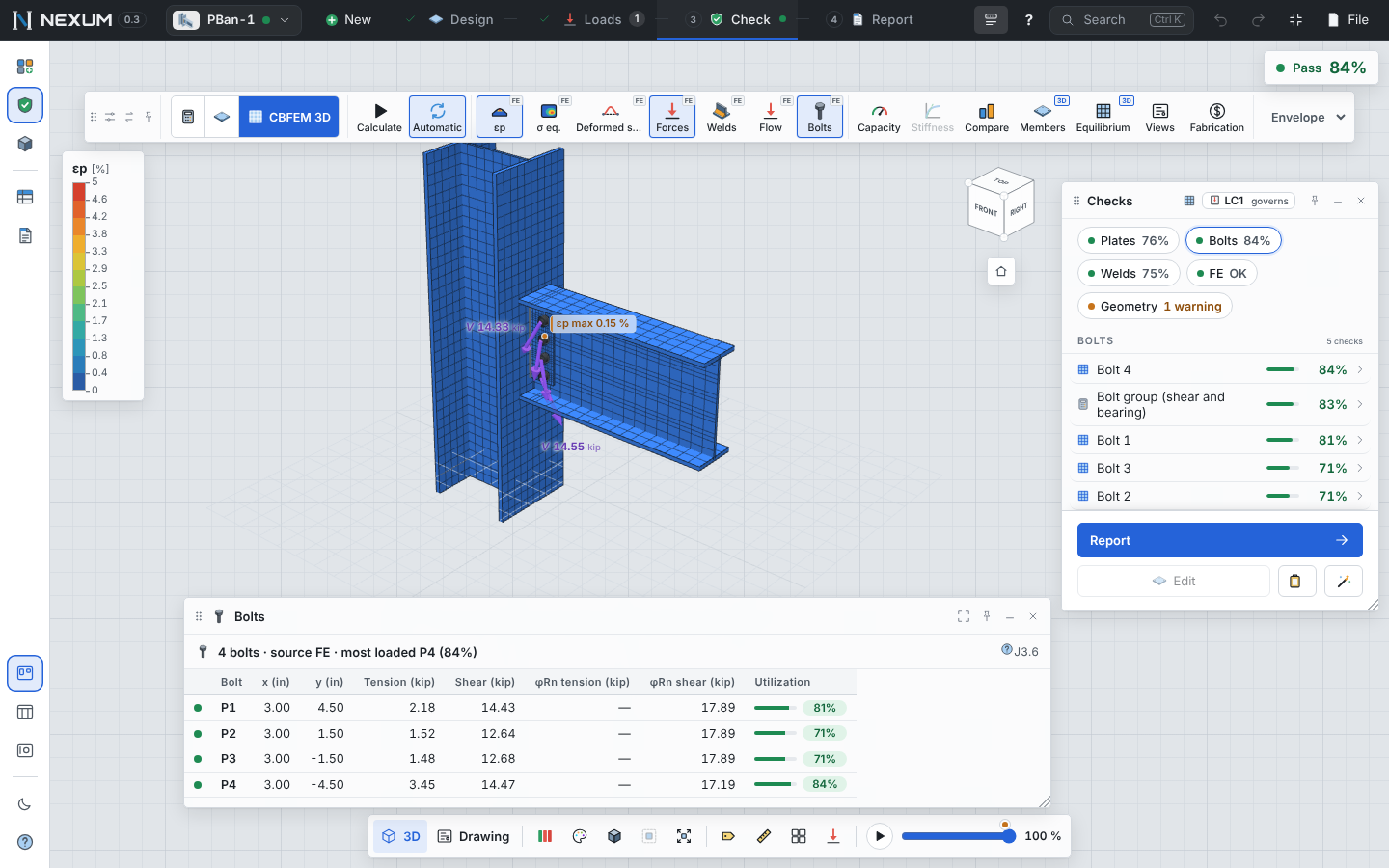
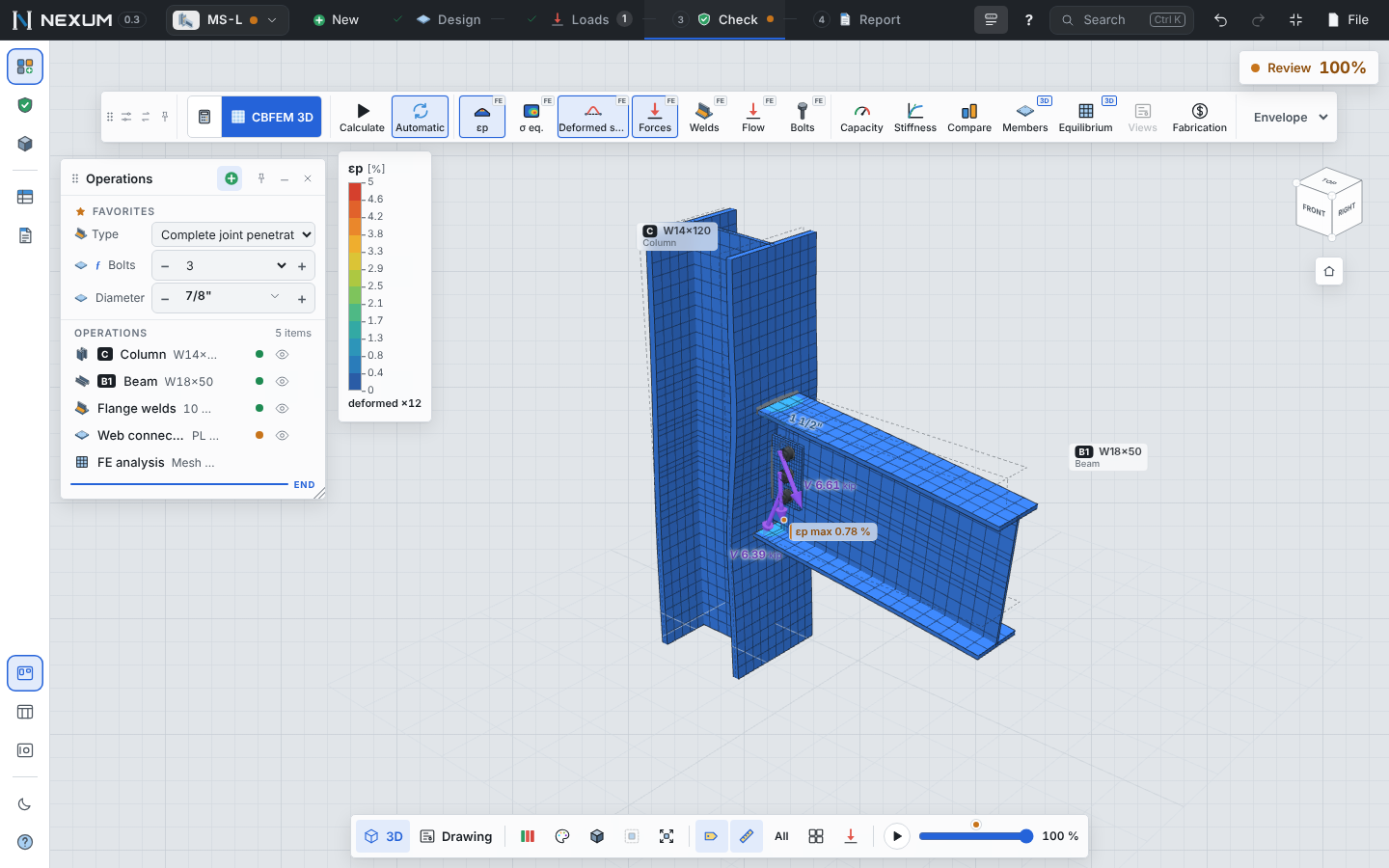
Plates, bolts, welds and contact in a finite element model, with the 5% plastic strain criterion — for joints the hand methods can't reach.

Solutions when it fails

Nexum tries thicker plates, more bolts, bigger welds and ribs, ranks what passes by cost and confirms the best ones with the FE model.

Shop drawings and DXF

Dimensioned details with sections, bolt and weld symbols, in feet-inches or metric. Export DXF for your drafter, PDF and bill of materials.

Reports reviewers accept

Executive summary, load path, the model and every check by piece, with figures. Ready to stamp and send.

Parametric by default

Start from a library of typical connections that resize with the members. Save your own as company standards.

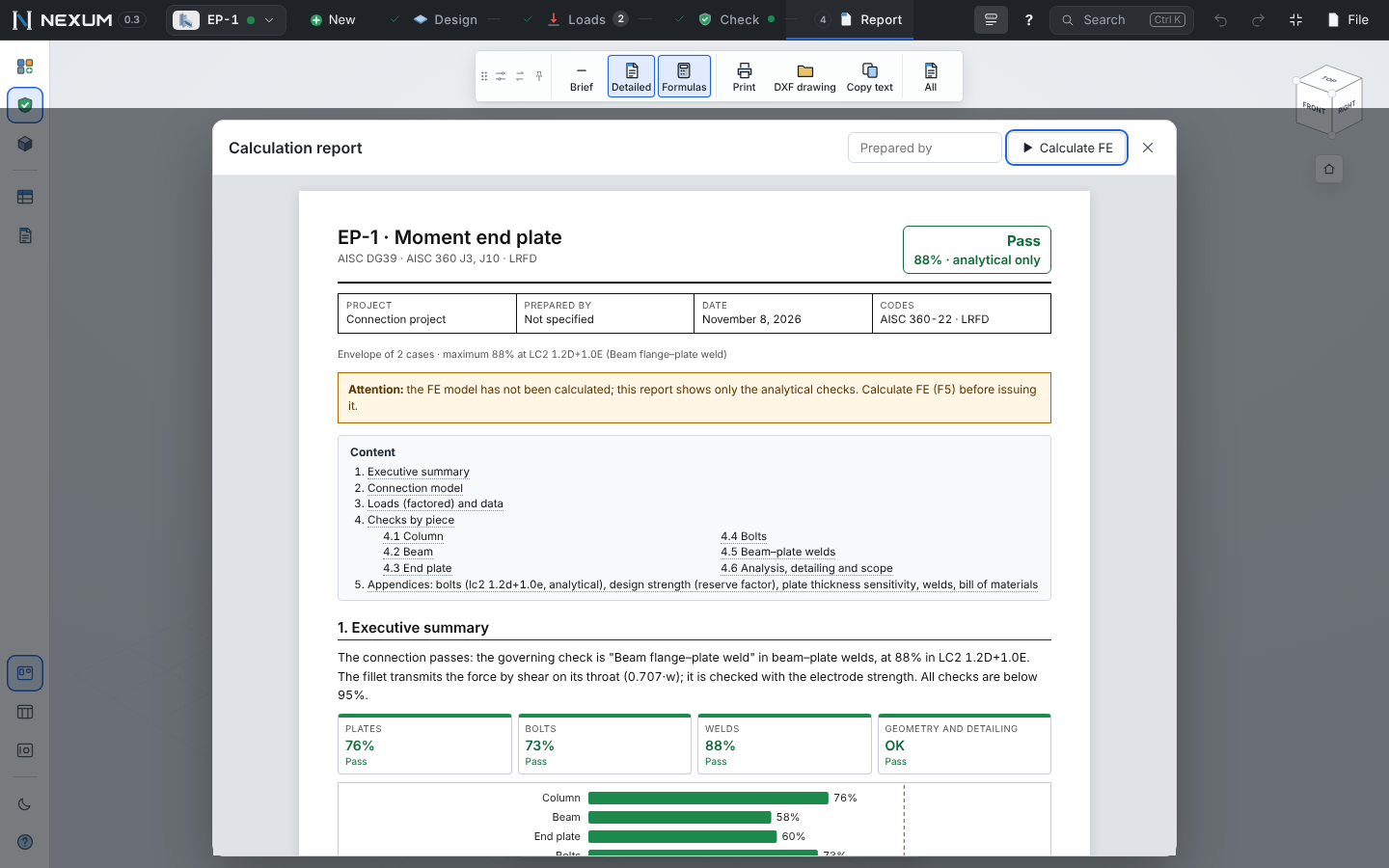
A report a checker can follow line by line

The same steps you would write by hand, in your units, with the governing load combination.

  • Symbol = formula = substitution = result, with the code reference
  • Organized by physical piece: plate, bolts, welds, beam, column
  • Utilization chart and executive summary up front
  • kip, in, ksi — or kN, mm, MPa — or tonf, cm, kg/cm²
Calculation report of an end plate moment connection
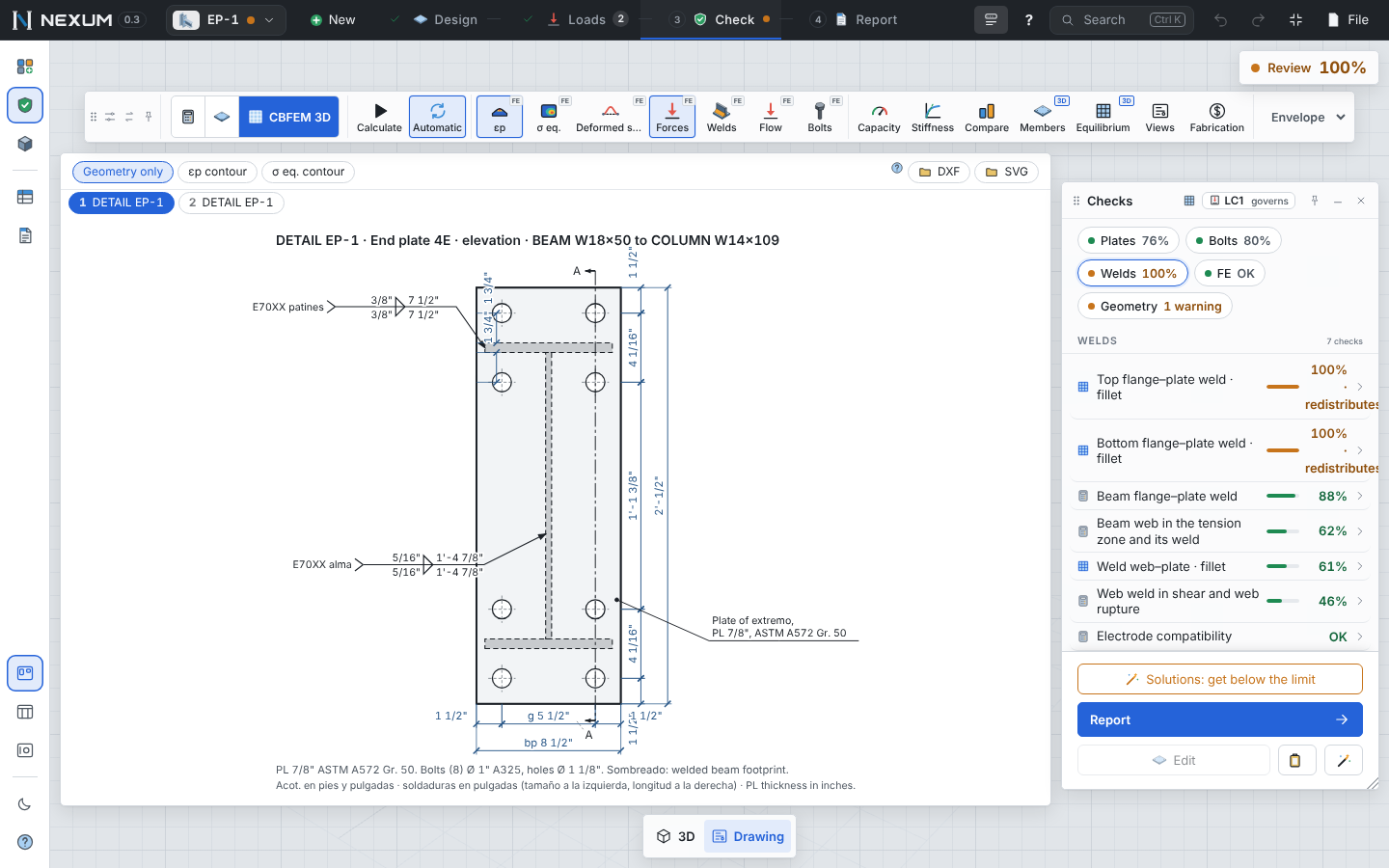
Detail drawing of an extended end plate with dimensions, bolts and weld symbols

Drawings, not just numbers

The detail sheet is generated from the same model, so it never disagrees with the calculation.

  • Elevations and sections with cut lines and break lines
  • AWS weld symbols, bolt callouts, plate marks
  • Dimensions in feet and inches to 1/16"
  • DXF for AutoCAD and Revit, PDF and a bill of materials

The connections you detail every week

Typical US and Mexican field connections, each with its own checks from the AISC Manual and Design Guides.

Shear tab

Shear connections

Shear tab, double angle, shear end plate, seated beam — to a column, a girder or HSS.

Moment end plate

Moment connections

Flush, 4E, 4ES and 8ES end plates (DG39, DG4), bolted flange plates, welded CJP, portal knees.

Base plate

Column bases

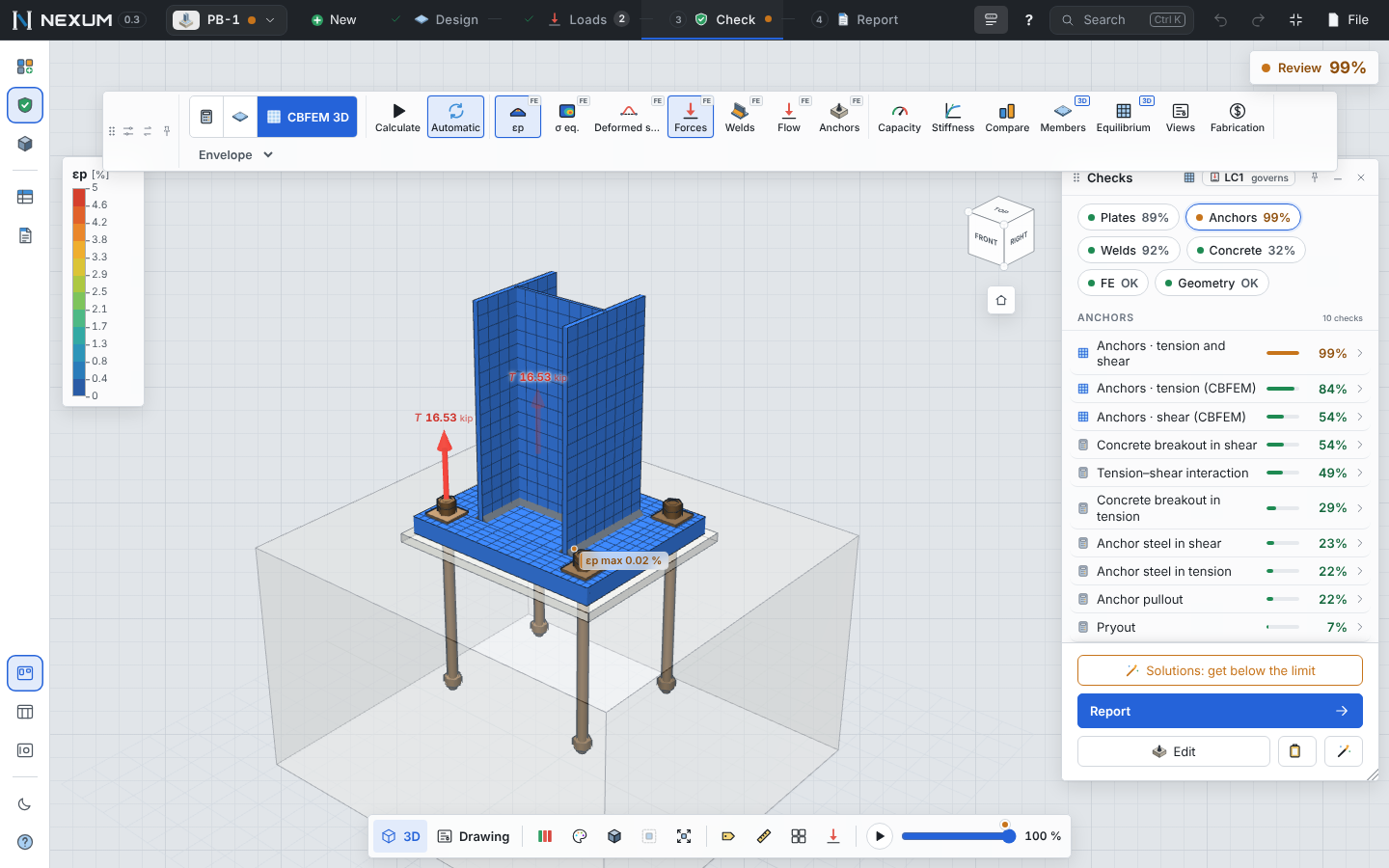
DG1 base plates with any anchor layout, ribs and shear lug; ACI 318 anchorage by groups.

Gusset plate

Bracing

Gusset plates with HSS or angle braces, Uniform Force Method corner gussets, chevron and X.

HSS truss joint

HSS and trusses

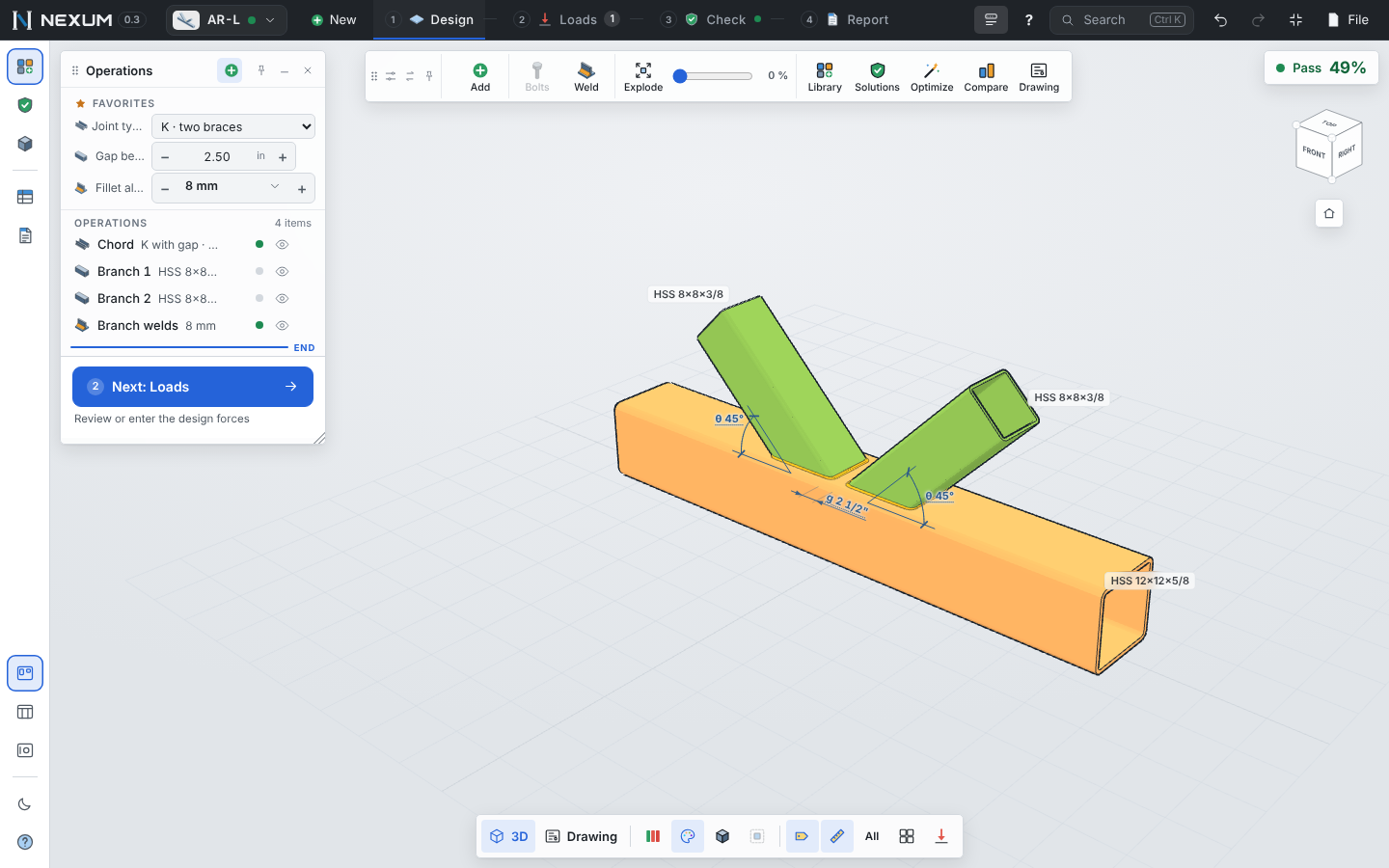
Chapter K T, Y, X and K joints, plates on HSS, truss gusset joints, end tees and cap plates.

Column joint with four beams

Full joints

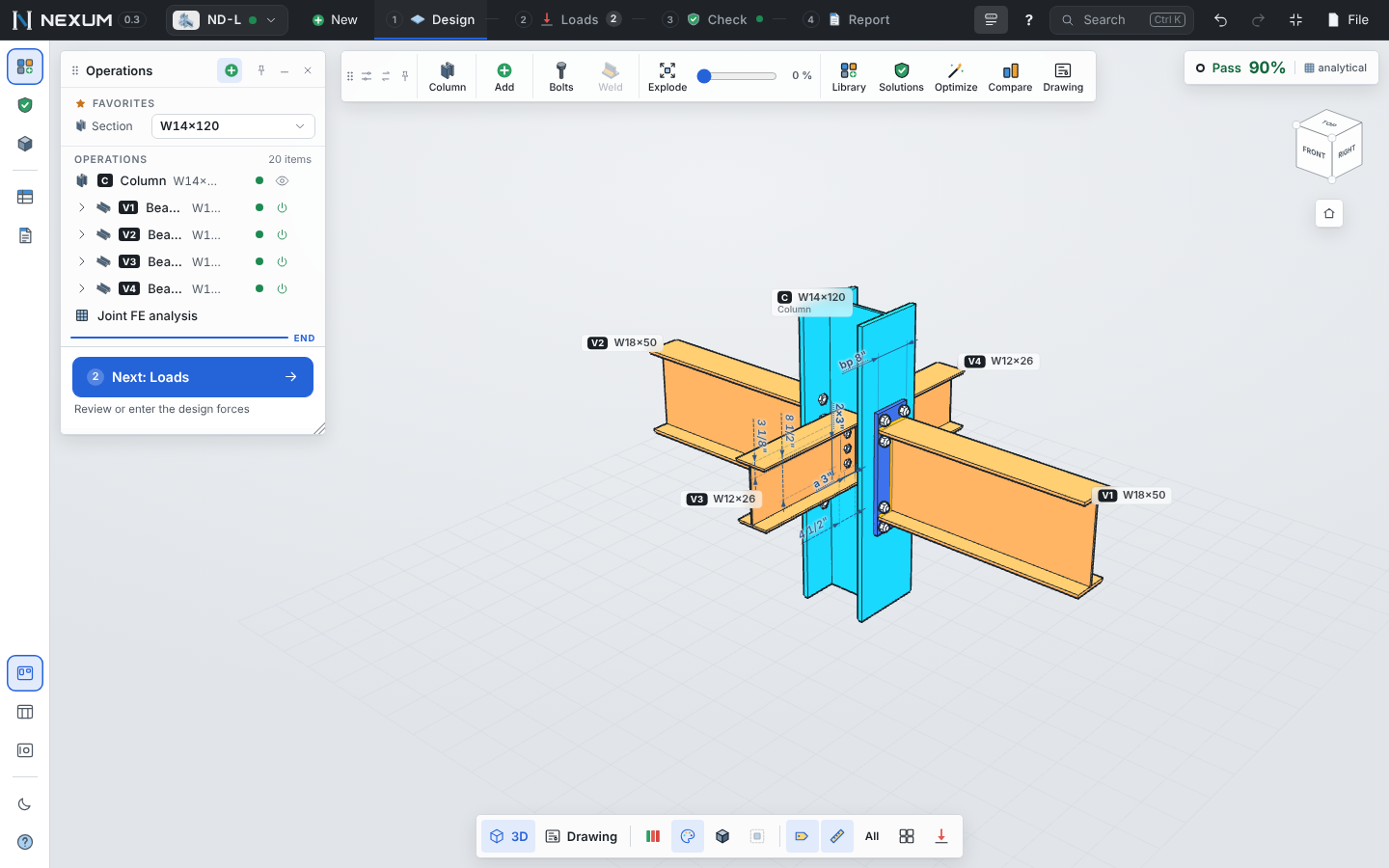
A column with up to four beams and eight braces, analyzed as one CBFEM model. Splices too.

All connection types and their checks →  ·  Also: steel member design (AISC 360 Ch. D–H, AISI S100 cold-formed) and reinforced concrete columns and beams (ACI 318).

Same answer as the book

A few of the published examples Nexum reproduces on every build. The full list, with sources and tolerances, is in the verification page.

ExampleQuantityPublishedNexum
AISC Design Guide 1 — axial base plateRequired plate thickness1.27 in1.27 in-0.1%
AISC Design Guide 1 — large momentAnchor rod tension Tu81.0 kip80.6 kip-0.5%
AISC Example II.A-17 — shear tabPlate shear rupture φRn52.2 kip52.2 kipexact
AISC Example II.B-1 — flange platesBolt shear, 8 × 7/8" A325-N194 kip195 kip+0.4%
AISC Example II.B-1 — flange platesColumn flange local bending (J10.1)171 kip171 kip+0.1%
AISC Design Guide 39 — Example 5.2-1Flush end plate, required tp0.519 in0.520 in+0.2%
AISC Design Guide 4 — Example 4.4 (8ES)Mnp without prying11,470 kip·in11,467 kip·inexact
AISC Example II.A-14 — stiffened seatStiffener weld φRn (Table 10-8)139 kip139 kip+0.3%
AISC Design Guide 24 — Example 8.5Gapped K joint, chord wall plastification415 kip415 kipexact
AISC Design Guide 1 — Example 4.7-5Shear lug concrete breakout φVcb26.1 kip26.1 kip-0.1%
AISC/RCSC Design Guide 41 — Example 2Stainless slip-critical joint, 8 bolts86.8 kip86.8 kipexact

Simple pricing

Designing and calculating are always free. A license unlocks reports, drawings and the bill of materials.

Monthly

For a project or a busy month.

$49 /month
Cancel anytime
  • All connection types
  • Reports, drawings, DXF, BOM
  • 2 computers per license
  • Updates included
Start free trial
BEST VALUE

Annual

For engineers who design connections every week.

$390 /year
About $33 a month
  • Everything in Monthly
  • Works offline after activation
  • Email support from the developer
  • Priority on new connection types
Start free trial

Team

For offices with several engineers.

$350 /seat/year
3 seats or more
  • Everything in Annual
  • Shared company connection library
  • One invoice, add seats anytime
  • Onboarding call
Contact us

Prices in USD. The 14-day trial includes everything and needs only an email. Students and universities: write to us.

Questions

Who is responsible for the design?

The engineer of record. Nexum is a tool that makes every step visible so you can review it; it flags what is a recommendation and what could not be verified against a source.

Which codes does it use?

AISC 360-22 (LRFD), the AISC Manual and Design Guides 1, 4, 7, 24, 29, 39 and 41, AISC 341-22 for seismic capacity design, ACI 318-25 or 318-19 for anchorage, and ASCE 7-22 or NTC 2023 load combinations. Member design uses AISC 360-16 and AISI S100-16.

How does the finite element analysis compare to hand methods?

Nexum runs both. The analytical checks follow the Manual; the CBFEM model (plates, bolts, welds and contact, 5% plastic strain) is verified against closed-form solutions and published studies, and shows you where it differs from the hand method and why.

Does it work offline?

Yes. After activation the license works without internet until its renewal date; calculations always run on your computer.

Windows, Mac or browser?

It runs in any modern browser (Chrome, Edge, Firefox, Safari) on Windows or Mac; a Windows desktop app is coming. Your projects are saved on your computer, not on our servers.

Can I import forces from ETABS?

For member design, paste the ETABS frame force table and Nexum creates one member per bar with its diagrams. Connection loads are entered per load case or combination.
Try it on your next connection

14 days, everything included, no credit card.

Start free trial