Reports, drawings and bill of materials
Calculation report#
Open the Report stage (Alt+4).
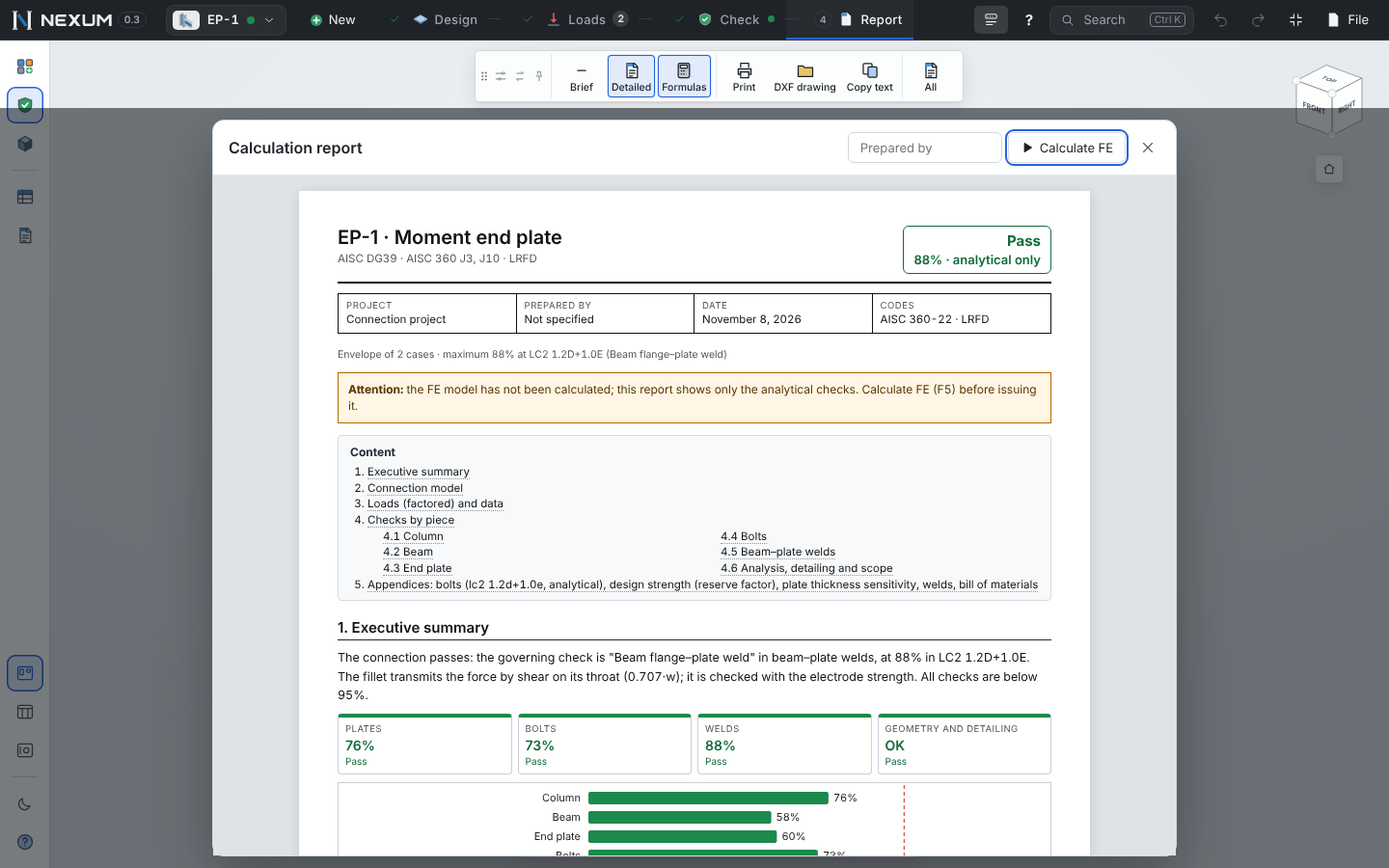
The report is laid out for letter-size pages, in a single sans-serif family with tabular figures; formulas use a math font and break between terms when they do not fit.
- Cover with a linked table of contents.
- Executive summary — the verdict, what governs, the piece, the case and the failure mechanism in plain words; a utilization chart by piece (each bar links to its section) and a summary table.
- Connection model — members and pieces, the load path, the method, scope and assumptions, the detail drawing.
- Loads (factored) and the connection data.
- Checks by piece — in the order of the Operations tree. Each piece has a figure with only that piece highlighted and a short table; each check, its failure mechanism in one line and then symbol = formula = substitution = result. Detailing checks without utilization show OK.
- Analytical vs. finite elements, when the FE ran.
- Appendices — bolt forces, design strength (reserve factor), plate thickness sensitivity, welds with their AWS A2.4 symbols, bill of materials.
Figures and tables are numbered; the footer reads Page n of m. Interactive parts (links, data folds) print open.
- Brief / Detailed and Formulas on the toolbar control the length.
- Print / PDF — in the desktop app it saves a PDF directly; in the browser use Print → Save as PDF.
- Copy text copies the whole report as text.
- Block report (connection selector ▾ → Dashboard) prints every connection of the project in one document.
Detail drawings#
Switch the canvas to Drawing (bottom bar). Each connection has one or more sheets — elevation, plan, the plate, the anchor, added pieces, the part list — as tabs.
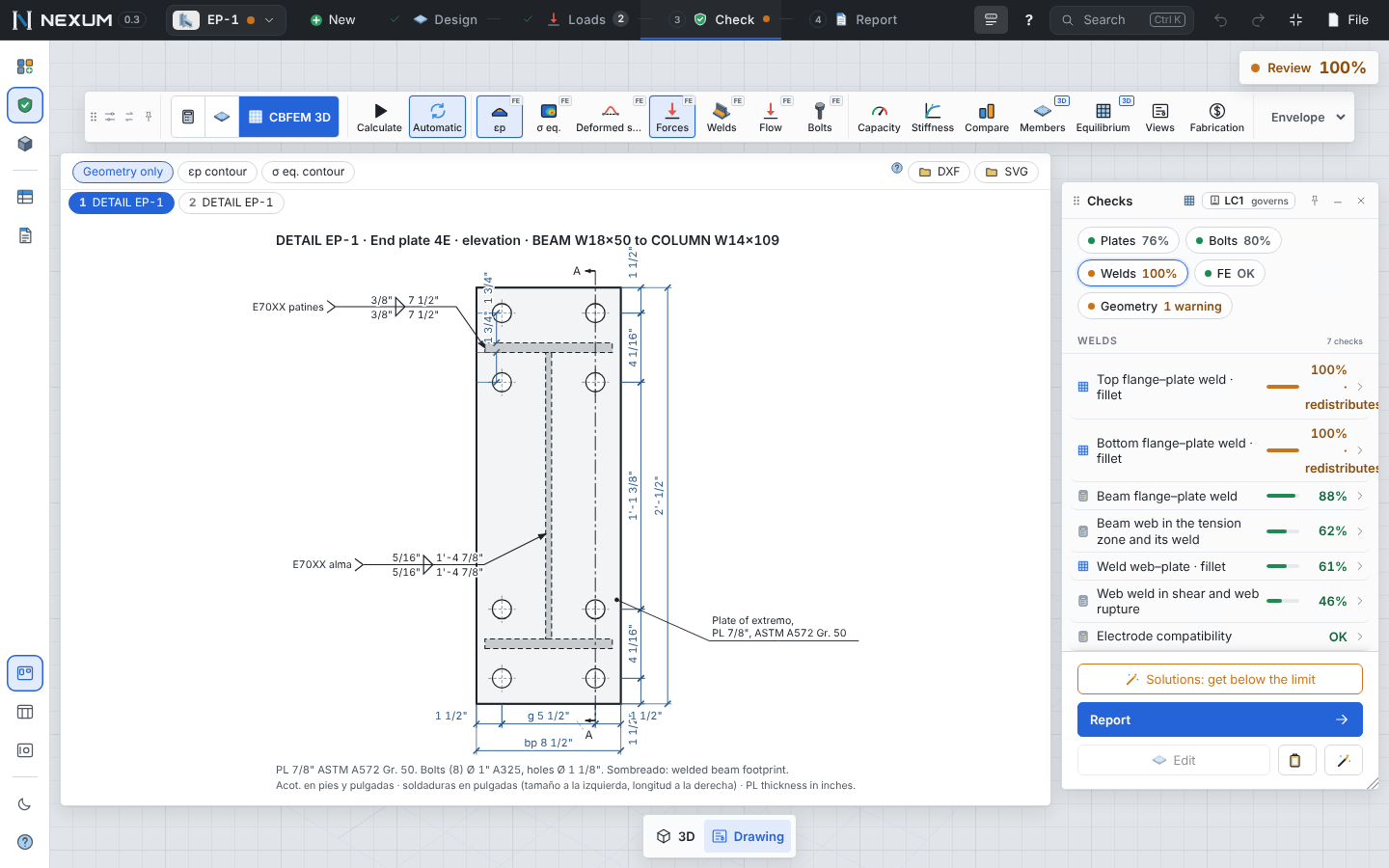
Rules the drawings follow: nothing overlaps at any view or angle; sections (Whitmore) are drawn as a cut line; welds only on real metal with their AWS A2.4 symbol (size on the left, length on the right); plates labeled PL 5/8" ASTM A572 Gr. 50; dimensions round to shop multiples.
File → For the shop and the drafter:
| Export | Contents |
|---|---|
| DXF of this connection / of the whole project | AutoCAD R12, real scale (model in cm), each sheet at a 1:N plot scale. Layers by color: PLATE, FILL, PROFILE, FOOTPRINT, AXES, HOLES, DIMENSIONS, WELD, TEXT, TITLES, FRAME. Dimensions are real CAD dimensions (DIMENSION entities with a style per sheet) in mm; equal spacings chain into one "3@76 = 229". Uppercase notes, leader callouts for plates, view titles and a title block with project, marks, date and sheet n of N. |
| SVG | The same sheets as vector images. |
| PDF drawings | One letter-size landscape sheet per drawing with its title block. |
| Bill of materials (CSV) | Every plate, angle, bolt and anchor with its mark (PL1, L1, B1, A1… — the same as the part list sheet), description, quantity per connection and total, kg; welds by size and length; totals of steel, weld metal, bolts and anchors. Opens in Excel in columns. |
Marks of the structure. In the connection selector, type the marks that use this connection (B-12, B-13…). They appear in the drawing title blocks and multiply the bill of materials.
Fabrication#
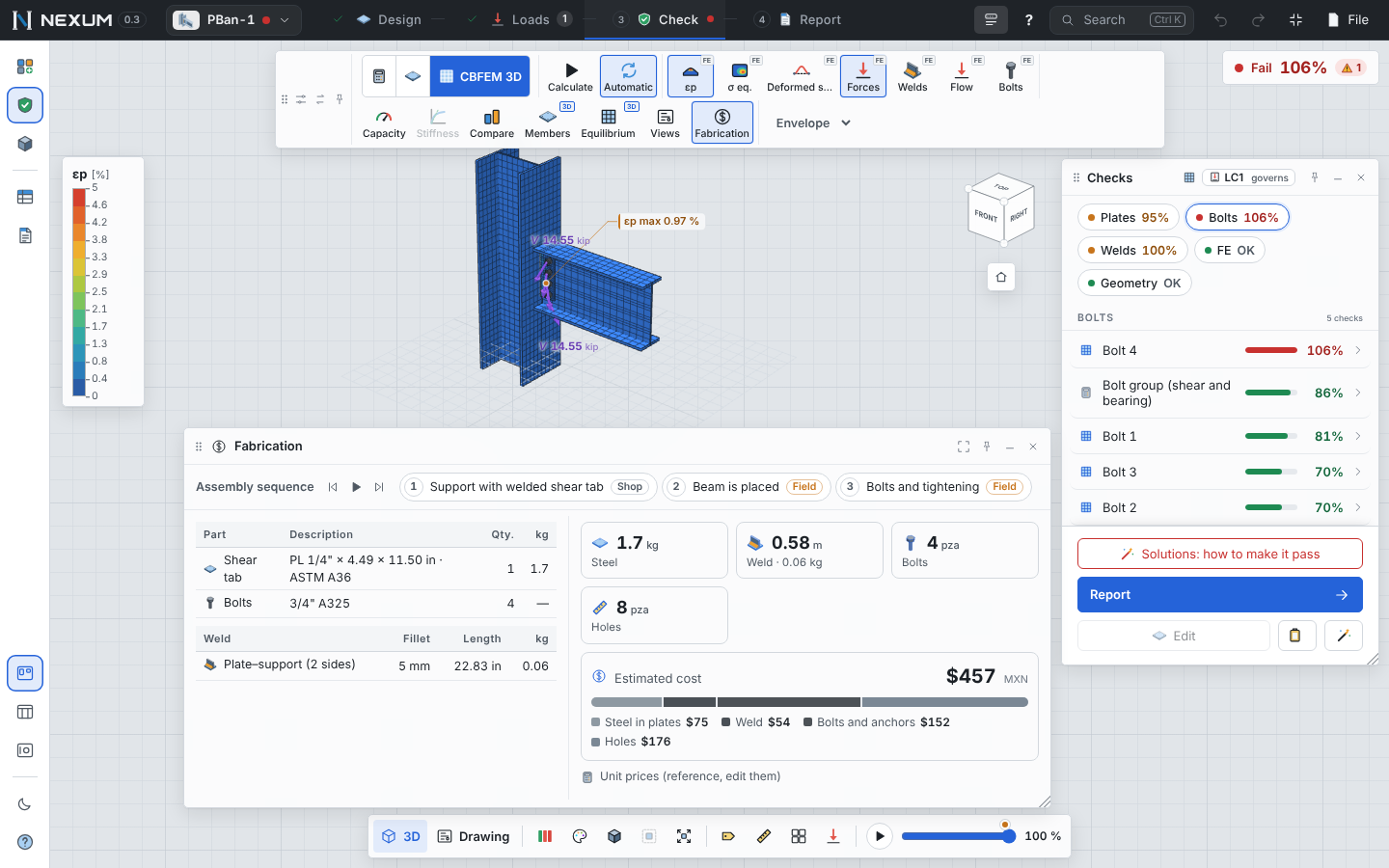
Tools → Fabrication lists the plates (thickness in inches and ASTM grade), bolts and anchors, holes, welds by size with length and deposited metal, total kg and an estimated cost with unit prices you can edit (they are remembered on this computer). The erection sequence and an exploded view show how the pieces go together.
Copy the specification#
The clipboard button of the Checks window copies the short specification — plate, bolts and welds in a few lines — ready to paste on a drawing.