Settings and units
Open File → Settings… or press Ctrl+,.
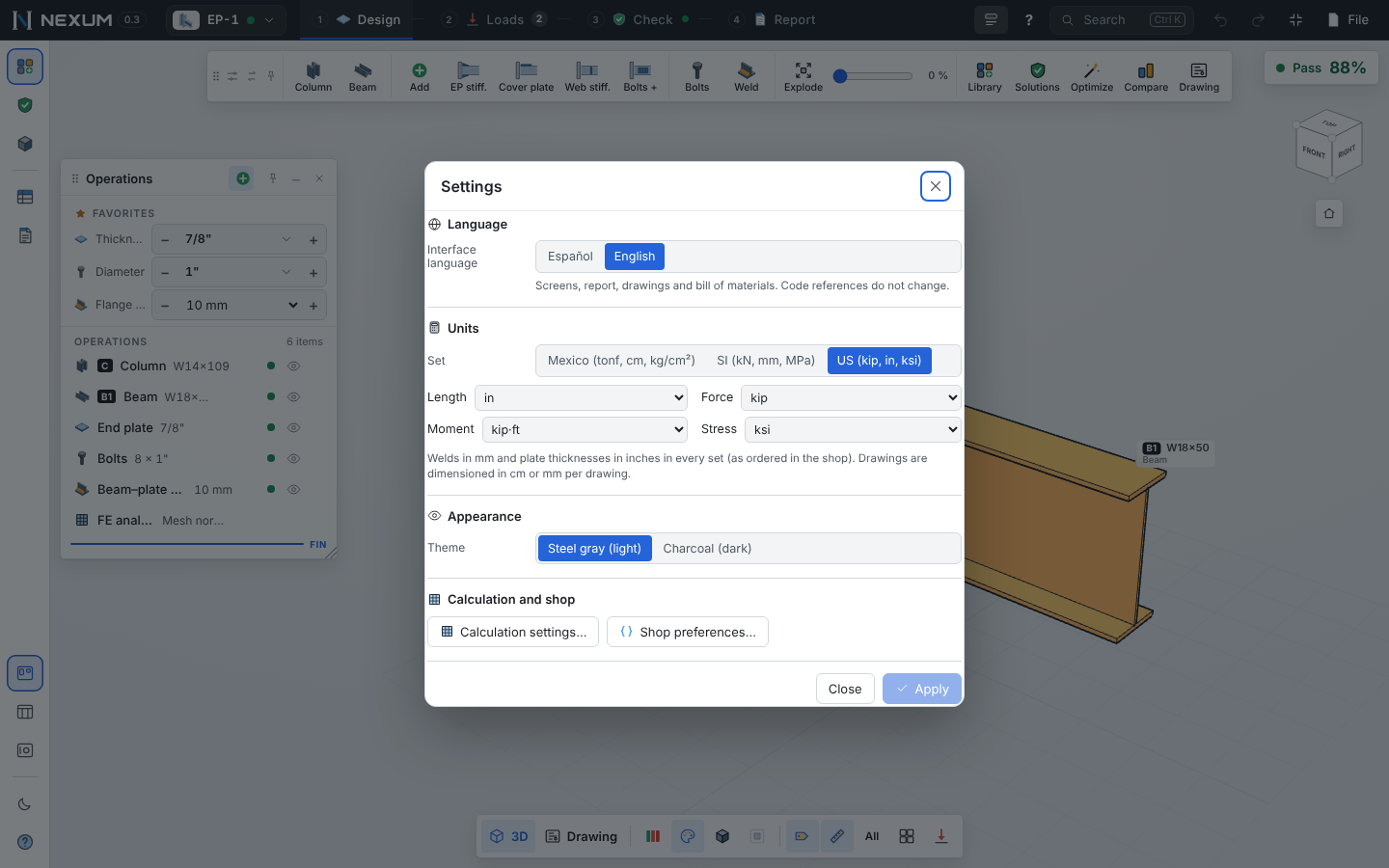
Language#
English or Español. It changes the screens, the report, the drawings (texts and DXF layer names) and the bill of materials. Code references (clause numbers, equation numbers) do not change. The first time, Nexum follows your browser's language.
Units#
Choose a set, or pick each quantity on its own:
| Set | Length | Force | Moment | Stress |
|---|---|---|---|---|
| US | in | kip | kip·ft | ksi |
| SI | mm | kN | kN·m | MPa |
| Mexico | cm | tonf | tonf·m | kg/cm² |
Also available: length in m or ft, force in kgf, moment in kip·in.
Every input, table, label, arrow and model dimension follows the units you choose. Two things stay fixed in every set, because that is how they are ordered in the shop:
- Weld sizes in millimeters (3, 4, 5, 6, 8, 10, 12, 14, 16 mm).
- Plate thicknesses in inches as fractions (
PL 5/8"), with the mm equivalent where space allows.
The drawings are dimensioned in cm or mm per drawing (the DXF always carries mm CAD dimensions).
Internally the engine works in kip, in and ksi; changing units never changes a result, only how it is shown. Applying a change reloads the page and keeps the connection, stage and view you were on.
Appearance#
Steel gray (light) or Charcoal (dark). The model colors follow: by default each kind of piece has its own color (column cyan, beam orange, plates blue, welds amber); Steel (neutral gray with the status colors) is an option in the View window.
Calculation and shop#
- Calculation settings… — the CBFEM limits and mesh (see CBFEM analysis).
- Shop preferences… — the bolt diameters, plate thicknesses and fillet sizes your shop works with, the maximum number of bolts, and the dimension rounding (Auto, or fixed 1 / 2.5 / 5 cm). They limit Optimize, Solutions and Adjust fillets.
Other preferences (remembered on this computer)#
| Where | What |
|---|---|
| Left rail, bottom | Window layout: Free canvas, Docked, Focus, Mine |
| Left rail | Light / dark theme |
| File → Developer mode | Parameter editor (ƒx) and parametric templates |
| Toolbar ⇄ | Toolbar as a row or a vertical palette |
| Tools → Fabrication | Unit prices for the cost estimate |